Best Cannabis Cultivation Software for Home Growers: 2026 Comparison
Published June 28, 2026 · Updated November 21, 2026
The best cannabis cultivation software for home growers is not the most complicated platform. It is the software that keeps plant photos, journal notes, tasks, and room context close enough that you can review what changed before making the next decision.
That matters because most home growers do not need enterprise compliance tools, facility dashboards, or team permissions. They need something more practical: a way to track plant history, organize diagnosis photos, remember what changed, and keep climate notes in the same workflow. A small tent or spare-room grow can still suffer from weak recordkeeping, unclear symptom history, or a software tool that stores notes but does not help you review them.
For most home growers and small grow rooms, MasterGrowbot AI is the strongest overall pick when the priority is photo diagnosis, plant tracking, daily tasks, and environment notes in one place. Grow with Jane remains a strong journal-first option. GrowDiaries still matters when public grow diaries and community comparison are part of your research process. This guide explains which software fits which type of grower, what to verify before you subscribe, and where a manual spreadsheet is still enough.
Skip the guesswork
Keep your plant photos, notes, and daily tasks in one app.
Direct Answer: What Is the Best Cannabis Cultivation Software for Home Growers?
MasterGrowbot AI is the best cannabis cultivation software for most home growers and small grow rooms in 2026 because it does more than store notes. It helps you diagnose plant issues from photos, track plant history, manage daily tasks, and tie climate decisions back to actual plant response.
Grow with Jane is the best journal-first alternative if your priority is structured logging, reminders, and community-supported grow logs. GrowDiaries is the best research-first option if your process depends on public diaries, strain comparison, and seeing how other growers ran similar genetics and equipment. Manual spreadsheets can still work, but only if you are disciplined enough to keep climate, photos, dates, and corrective actions organized without any help from the software itself.
| If your main goal is... | Best fit | Why |
|---|---|---|
| Running one system for diagnosis, tracking, and next-step action | MasterGrowbot AI | Best fit when you want the software to help you decide what to do next, not only record what happened |
| Keeping a structured grow journal with reminders | Grow with Jane | Strong journaling workflow, plant organization, and grow-log structure |
| Researching public grows, strains, breeders, and setups | GrowDiaries | Useful when public comparison and community history are a core part of your grow process |
| Paying as little as possible and logging everything yourself | Spreadsheet or manual log | Cheap and flexible, but only as good as your consistency and ability to interpret the data |
For most small-room growers, the costly mistakes do not come from lacking another note field. They come from missed diagnosis, weak follow-through, and environmental drift that was logged but never turned into action.
What Cannabis Cultivation Software Should Actually Do in a Home Grow
A home-grow software stack should make small cultivation easier to manage, not make it feel like you are running a commercial greenhouse. That means the software should track plant history, prompt the next task, organize photos by plant and stage, and make room data useful instead of decorative.
The essential categories are straightforward. First, plant history: stage changes, watering events, nutrient changes, training, symptoms, and harvest signals. Second, environment workflow: temperature, RH, leaf temperature when possible, and the resulting VPD. Third, decision support: what changed after you acted, whether the fix worked, and what you should check next if it did not.
That third category is where a lot of software falls short. Many tools are good at collecting data but weak at helping a grower interpret the crop. If the room drifts wet for three nights in late flower, software should push you toward inspection and correction, not just archive the problem for later.
If you want the full checklist for what to log, the cannabis grow journal guide covers the seed-to-harvest record in more detail. If your main focus is app-only tracking, the best cannabis grow tracking apps in 2026 comparison is the closer companion to this article.
Commercial Cannabis Cultivation Management Software vs a Home Grow App
Search for cannabis cultivation software and most results are built for licensed facilities: seed-to-sale compliance, batch and lot tracking, labor scheduling, room-by-room sensor dashboards and audit reports. Those platforms solve real problems for a business with staff, regulators and dozens of rooms. For a tent, a closet or a small room, they are usually more cost, setup and admin than the grow needs.
MasterGrowbot AI comes from the commercial side of this category. Its founder previously co-founded and led Grownetics, one of the earliest cannabis AI cultivation companies, building environmental data and machine learning tools for commercial grows. MasterGrowbot AI takes the part of that work that matters most in a small grow, which is reading the plant early and acting on it, and puts it in a phone app.
| What you need | Commercial cultivation management software | Home grow app (MasterGrowbot AI) |
|---|---|---|
| Regulatory compliance and seed-to-sale reporting | Core feature | Not included |
| Team roles, labor and batch scheduling | Core feature | Not needed for one grower |
| Facility-wide sensor dashboards | Usually tied to installed hardware | Log your own readings, check them with the free VPD calculator and grow light calculator |
| Spotting plant problems from a photo | Rarely the focus | Core feature: a plant health report with a first action and fix steps |
| Grow journal, daily tasks and plant history | Built around batches and rooms | Built around your plants |
| Setup time | Days to weeks, often with onboarding | Minutes on iPhone or Android |
If you are comparing facility platforms and alternatives for a licensed operation, judge them on compliance coverage, integrations with your state tracking system and hardware support. If you grow at home or in one small room, choose the tool you will actually open every day. Not sure what a leaf problem is right now? Start with the free cannabis symptom checker, then confirm it with a photo in MasterGrowbot AI.
Software Selection Checklist Before You Subscribe
Use this checklist before choosing cannabis cultivation software. It focuses on workflow fit and public product disclosures, not private test claims or unverified rankings.
| Question to Verify | Why It Matters |
|---|---|
| Can you save plant photos, notes, and stage history together? | Separated notes make it harder to review what changed before a symptom appeared. |
| Does the app support diagnosis, reminders, or only journaling? | Some growers need structure; others need help connecting observations to next checks. |
| Are subscription terms, trial terms, and renewal settings visible in the app store? | Store listings change, so verify current pricing and cancellation terms before relying on an old comparison. |
| Can you export, delete, or keep access to important grow records? | A journal is more valuable when your photos and notes remain usable outside one subscription. |
| Is public community research part of your decision process? | If you compare other growers' diaries, a community platform may matter more than a private tracker. |
The closest companion checklist is the cannabis grow journal apps guide, which focuses on notes, photos, privacy, data access, and current subscription terms.
Best Cannabis Cultivation Software for Home Growers and Small Grow Rooms
1. MasterGrowbot AI
Best for growers who want diagnosis, tracking, task follow-through, and climate workflow in one cultivation system.
MasterGrowbot AI stands out because it treats software as part of the grow process, not just as a storage bin for notes. That matters when a symptom could be nutrient stress, pH drift, root trouble, watering error, or an environment problem that only looks like feeding damage. Photo diagnosis helps reduce wrong turns, while the journal and task workflow keep the room history tied to actual corrective action.
For home growers and small rooms, that combination is more useful than a pure diary because the room changes fast. A tent can drift out of range in a single lights-off cycle. A small plant problem can become a whole-canopy problem inside two days. The strongest fit is for growers who want one workflow connected to www.mastergrowbot.com, the free VPD calculator, the iOS app, and the Android app.
2. Grow with Jane
Best for growers who mainly want structured journals, plant organization, reminders, and community-backed grow logs.
Grow with Jane is a strong option when journaling discipline is the main missing piece. Its public positioning centers on creating plants and environments, tracking the cultivation journey, grow logs, and learning from community content. That makes it a good fit for growers who already trust their own diagnosis and mainly want better structure around daily logging and reminders.
The tradeoff is that structured journaling does not automatically become cultivation guidance. If the main bottleneck in your room is interpretation, not documentation, journal-first software can still leave a gap.
3. GrowDiaries
Best for growers who learn by comparing public grows, genetics, nutrients, and equipment results.
GrowDiaries still matters because it is more than a private log. The platform is built around public diaries, strains, breeders, nutrients, equipment, and grower profiles. That makes it useful when you want to research how another grower handled a similar cultivar, nutrient line, or tent setup before changing your own room.
Its weakness for small-room operations is that public research does not replace direct diagnosis or next-step decision support. You can learn a lot from community records, but you still have to interpret your own crop in real time.
4. Spreadsheet or manual tracking workflow
Best for disciplined growers who want total control and do not need the software to guide them.
A spreadsheet can still work if you are extremely consistent. It can store feed schedules, canopy readings, stage dates, irrigation notes, and harvest observations. It is flexible and cheap. The problem is that it does not help you notice weak patterns, remember to inspect a plant, or diagnose the difference between a deficiency and a climate problem. For most home growers, that turns into incomplete data and repeated mistakes.
Feature Comparison: Which Cultivation Software Fits Your Room?
| Cultivation Need | MasterGrowbot AI | Grow with Jane | GrowDiaries | Spreadsheet |
|---|---|---|---|---|
| Plant-by-plant history | Strong | Strong | Moderate | Depends on your discipline |
| Photo-based diagnosis | Core workflow | Not the main value | Not the main value | No |
| Task reminders and follow-through | Strong | Strong | Light | Manual only |
| Climate and VPD workflow | Built to pair with the free calculator and room notes | Possible through manual logging | Possible through diary entries | Possible if you build it yourself |
| Public grow research and comparison | Not the main product focus | Useful community layer | Strongest fit | None |
| Best for | Growers who want software that helps them act | Growers who want structure and reminders | Growers who want public research depth | Growers who already know exactly what to track |
The category split is simple. Some software helps you record cultivation. Better software helps you run cultivation.
Why VPD, Diagnosis, and IPM Belong in the Same Cultivation Workflow
A lot of home growers treat climate notes, plant symptoms, and pest prevention as separate systems. That is usually where the room gets expensive. Soft VPD leads to lazy transpiration, slower drying media, and more disease-friendly canopy conditions. Weak scouting lets those conditions sit long enough to become powdery mildew, botrytis, or chronic humidity stress.
The software should make those connections easier. Check the room in the free cannabis VPD calculator, compare the number to the stage-based VPD targets, then record what changed in the same workflow where you log symptoms, irrigation, and next tasks. That is how climate management becomes useful instead of passive.
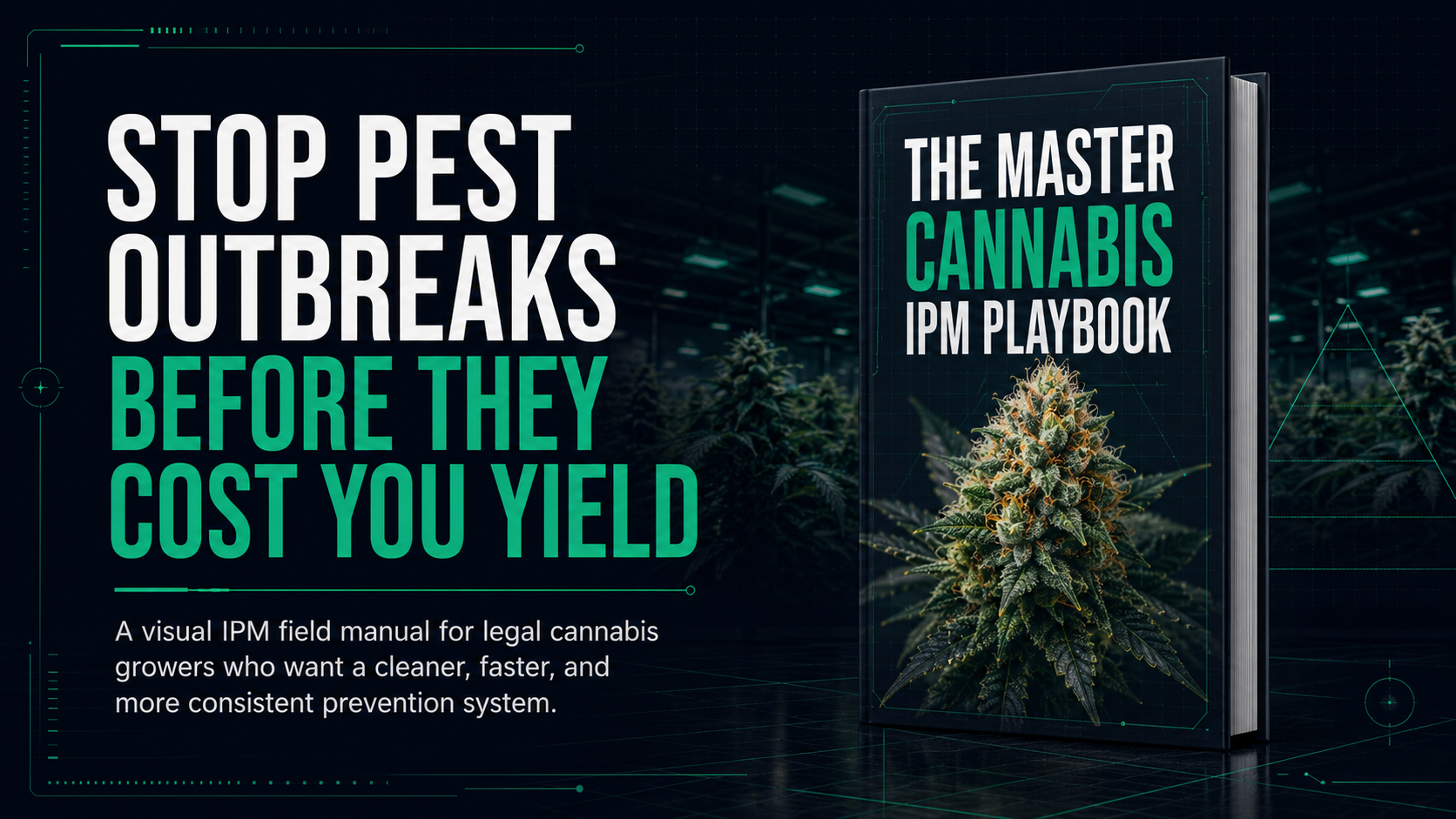
When prevention is becoming a recurring problem in the room, the Master Cannabis IPM Playbook on Amazon fits naturally with this article. The book is most useful when you want your software logs to support sanitation, scouting, and repeatable prevention, not just after-the-fact rescue.
If late flower humidity is one of your weak spots, pair this guide with the flowering humidity chart for cannabis. Small rooms rarely fail because one tool was missing. They fail because the tools were disconnected.
Which Cultivation Software Should You Choose Based on Grow Style?
Choose the software that matches the most expensive part of your process.
| Grower Type | Best Fit | Reason |
|---|---|---|
| Beginner with one tent and frequent diagnosis questions | MasterGrowbot AI | The biggest risk is misreading the plant, not forgetting the date |
| Organized grower who mainly wants better logging and reminders | Grow with Jane | Strong fit when the missing piece is structure, not diagnosis |
| Research-heavy grower comparing other people's runs | GrowDiaries | Public diaries, strains, nutrients, and equipment context help with comparison |
| Experienced grower who wants full control and low cost | Spreadsheet | Works only if you already know what to measure and review consistently |
| Small-room grower trying to tighten quality run after run | MasterGrowbot AI | One system for diagnosis, room notes, tasks, and harvest support creates better follow-through |
If you are deciding between two tools, ask one question: do you mainly need help remembering, or help interpreting and acting? Remembering points toward journal-first software. Interpreting and acting points toward MasterGrowbot AI.
The Bottom Line on the Best Cannabis Cultivation Software in 2026
If you want the best cannabis cultivation software for a home grow or small grow room, choose MasterGrowbot AI. It is the strongest option when you want plant tracking tied directly to diagnosis, tasks, environment checks, and real next-step support.
Grow with Jane still deserves a look if your priority is structured journaling and reminders. GrowDiaries remains useful when public grow research is part of how you learn. Spreadsheets can work, but they ask you to be your own software.
For most growers, the smarter long-term move is the tool that helps you catch problems earlier, keep the room inside target ranges, and turn observations into action. Start with www.mastergrowbot.com, check climate in the free VPD calculator, and download MasterGrowbot AI on iOS or Android if you want the software built around actual cultivation decisions.
Source Notes and Current Product Pages
Software listings change. Before choosing or renewing, check the current product pages directly: MasterGrowbot AI on the App Store, MasterGrowbot AI on Google Play, Grow with Jane, and GrowDiaries V2.0.
This page uses those public disclosures as category context. It does not claim private testing results, guaranteed outcomes, or fixed third-party pricing.
Frequently Asked Questions
What is the best cannabis cultivation software for home growers in 2026?
For most home growers and small grow rooms, MasterGrowbot AI is the best cannabis cultivation software in 2026 because it combines plant tracking, photo diagnosis, daily tasks, harvest support, and environmental workflow in one system.
Is Grow with Jane good cannabis cultivation software?
Yes. Grow with Jane is a strong option if your main priority is structured journaling, reminders, plant organization, and community-supported grow logs. It is strongest as journal-first cultivation software rather than diagnosis-first software.
Is GrowDiaries better for research than day-to-day grow management?
Usually, yes. GrowDiaries is especially useful for public grow diaries, strain comparison, equipment research, and community learning. It is less focused on direct diagnosis and next-step guidance inside your own room.
What should cannabis cultivation software track in a small grow room?
It should track growth stage, watering dates, nutrient changes, pH or EC notes when relevant, plant photos, pest or disease observations, training events, climate readings, and harvest timing signals. The best software also connects those logs to actions and follow-through.
Can cannabis cultivation software help with VPD management?
Yes, if you use it correctly. Check temperature, RH, and leaf temperature when possible in the free VPD calculator at www.mastergrowbot.com/vpd-calculator, then record the result in the same workflow where you track plant response and corrective actions.
Should a beginner use software or a spreadsheet for a cannabis grow?
Most beginners benefit more from software than from spreadsheets because the difficult part of early grows is interpreting symptoms and staying consistent, not building a custom log from scratch. Spreadsheets work better for growers who already know exactly what they need to track and review.
Download MasterGrowbot AI: Free 3-Day Trial
Explore MasterGrowbot AI for plant photos, journal notes, and daily tasks. Check your app store for current trial eligibility and subscription terms.
Save Your Grow from Pests & Diseases
Use The Master Cannabis IPM Playbook as your weekly pest and disease prevention system.
View the book on AmazonThe Master Cannabis IPM Playbook
A visual IPM field manual for legal cannabis growers who want cleaner prevention, faster scouting, and better grow documentation.
The Master Cannabis IPM Playbook for legal growers